Do I still need an accountant if I use accounting software? Usually yes, but for a smaller and different job. Software should do the typing, categorising, matching and invoicing. An accountant should handle judgement, filing and advice that fits your situation. If you pay an accountant mainly to fix data entry, you are paying twice.
This article is for owners of small businesses with 1-10 employees who run several tools and also pay someone to correct and file their books. After reading it, you can list what you pay for, split tasks between software and a professional, and switch systems without losing your accountant.
All-in-one business software is a single system in which accounting, invoicing, inbox and customer records share the same data, so every fact is entered once and reused everywhere. It replaces a stack of separate tools and the manual work needed to keep them in sync.
Do I still need an accountant if I use accounting software?
In most cases yes, because software records and calculates, while an accountant interprets and takes responsibility for what is filed. The two jobs overlap less than most owners think.
Software can read a receipt, suggest a category, match a payment to an invoice and prepare a VAT figure from the booked data. It cannot decide how an unusual transaction should be treated under your local rules, or advise on your personal situation as an owner. That is where a qualified professional earns their fee.
Whether you need an accountant for filing, annual statements or tax returns also depends on your country, legal form and the size of your business. Check your local requirements or ask a tax advisor before you drop any service.
Why am I paying for software and then paying an accountant to fix my books?
You pay twice because the software does not capture clean data, so someone has to clean it up afterwards. The accountant ends up doing bookkeeping work at an advisory hourly rate.
The usual pattern looks like this: receipts pile up in a shoebox or a phone gallery, you type them in late, categories are guessed, bank lines are not matched to invoices, and the accountant spends hours correcting it before filing. Each correction is billed time that better software and a steadier routine would have avoided.
A second cost is waiting. If your numbers live in several tools plus the accountant’s working files, a simple question such as "what is outstanding this month?" can take days to answer. That is a data problem, not an accounting problem.
What can accounting software do that an accountant usually charges for?
Good software handles the repetitive, rule-based tasks that otherwise show up as accountant hours: capture, categorising, matching and invoicing. These are the tasks where a consistent routine matters more than professional judgement.
Here is a task-by-task split you can use:
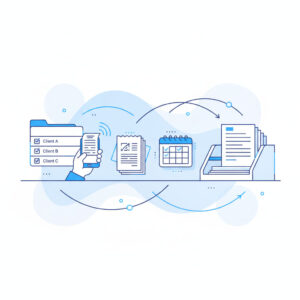
- Software should do: read receipts from a phone photo, book them, suggest categories, match payments to invoices, create and send invoices, keep customer data in one place, and show current figures on demand.
- You should do: snap receipts when you receive them, approve what the software suggests, send invoices promptly and review your own numbers regularly.
- An accountant should do: judge unusual or one-off transactions, review the books before filing, file or sign off statements where required, and advise on structure, owner pay and planning.
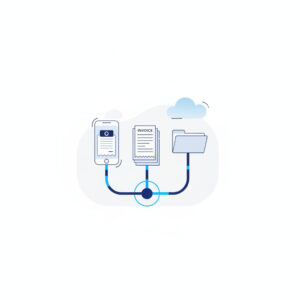
In IDup, Receipt Scanning reads a receipt photographed with the phone and books it, while Accounting, Invoices & Swiss QR Invoice and VAT work from the same data. That covers the first group without a separate tool for each step.
How many software subscriptions does a small business really need?
Fewer than most owners currently pay for, because many tools exist only to copy the same data from one place to another. The test is not how many tools you have but how many times you enter the same fact.
Typical overlaps are a receipt app, an invoicing tool, an accounting package, a customer list, a messaging tool and a time tracker. If a customer name, an amount or a date is typed into more than one of them, you are paying for the duplication in both subscription fees and your own evenings. Too many business software subscriptions also make it harder for an accountant to see one clear record.
Self-audit checklist: list what you pay for
Take one hour and write down the following. Use your bank statements and your accountant’s invoices as the source.
- Every software subscription, its monthly cost and what you actually use it for.
- Which data you type into more than one tool (customers, invoices, receipts, hours).
- How many hours per month you spend entering, categorising and reconciling.
- What your accountant bills for: filing and advice, or correcting entries and chasing missing documents.
- How long it takes to get an answer about your own numbers.
When you see the list on one page, the overlap is usually obvious. This is also the first step to reduce accountant fees with better bookkeeping, because you can show exactly which hours were avoidable.
Stack plus accountant versus one shared system
A stack of separate tools plus an accountant cleaning up differs from one shared system mainly in where the manual work sits. The table compares the two setups on the criteria that matter to an owner.
| Criterion | Several tools plus accountant clean-up | One shared system such as IDup |
|---|---|---|
| Data entry | Same facts typed or imported into several tools | Entered once and shared across modules |
| Receipts and matching | Collected late, categorised and reconciled by hand | Receipt Scanning books from a phone photo; payments matched to invoices |
| Accountant time | Spent partly on correcting and chasing documents | Can focus on review, filing and advice |
| Seeing your numbers | Wait for the accountant or compile from several tools | Current figures in the same login |
| Subscriptions | Several, each with its own login and billing | One subscription and one login |
Can I switch to all-in-one business software without changing my accountant?
Yes, in most cases you can keep your accountant and change only the system you run your daily work in. The accountant needs reliable records and a clear handover, not a particular brand of tool.
The worry that your accountant already knows your current tools is reasonable. Treat it as a question to ask, not a reason to stay put. Tell them what you plan, ask what format or reports they need from you, and agree on a changeover date, ideally at the start of a new period so you do not split one period across two systems.
What to keep, what to migrate, what to leave behind
- Keep: your accountant, your bank account, your chart of accounts logic if it works, and all past records and filings.
- Migrate: open invoices, your customer list, current suppliers and any recurring items you bill.
- Leave behind: tools that duplicate what the new system does, once you have confirmed you have copies of the history you need.
Check retention rules for business records in your country before cancelling anything. Your accountant can confirm what must be kept and for how long.
What should I still hand over to an accountant, and what can I handle myself?
Hand over anything that needs professional judgement, a signature or personal advice, and handle the routine capture yourself. A short rule: if a rule can decide it, software does it; if a person must be accountable for it, your accountant does it.
Here is a workflow you can start today:
- Run the self-audit above and mark which subscriptions and accountant hours are for data entry or repair.
- Open IDup and start with Receipt Scanning: photograph each receipt with the phone app so the AI reads it and books it the same day.
- Create your customer records and send invoices from Invoices & Swiss QR Invoice, so the same customer data feeds Accounting without retyping.
- Review the booked entries and matched payments in Accounting once a week, and correct anything the software categorised wrongly.
- Prepare your VAT figures from the booked data in VAT, and send your accountant a note on what you need reviewed or filed.
- Ask your accountant to move from correcting entries to reviewing and advising, and compare their next invoice to the previous one.
Example: a four-person cleaning company
This is an illustration, not research. A cleaning company with four employees pays for a receipt app, an invoicing tool, an accounting package and a time tracker. The owner types supplier receipts in on Sunday evenings, and the accountant spends part of each quarter fixing categories and chasing missing documents before filing.
The owner moves daily work into one system. Receipts are photographed on site, invoices go out from the same customer records, time tracking sits beside them, and payments are matched against open invoices. At the next quarter, the accountant receives records that need review instead of repair, and the owner can open current figures without calling anyone. The accountant still files and advises; the owner has stopped paying for typing.
Key takeaways
- You usually still need an accountant, but for review, filing and advice rather than data repair.
- If accountant hours go to correcting entries, you are paying twice for bookkeeping.
- Count how many times you type the same fact; that number shows how many tools you can drop.
- You can switch systems and keep your accountant by agreeing on a changeover date and the records they need.
- Always confirm filing duties, record retention and tax questions with your accountant or local rules.
Frequently asked questions
Do I still need an accountant if I use accounting software?
Usually yes. Software records transactions and calculates figures, but an accountant judges unusual cases, reviews the books before filing, and advises on your specific situation. Requirements differ by country and legal form, so confirm with a tax advisor or your local authority what you must have a professional handle.
What can accounting software do that an accountant usually charges for?
Software can read receipts, suggest categories, match payments to invoices, create invoices and prepare VAT figures from booked data. These are repetitive, rule-based tasks. When they are done as you go, the accountant has less correcting to bill and more time for review and advice.
Why am I paying for software and then paying an accountant to fix my books?
Because the data going in is late, incomplete or entered by hand in several tools, so someone must clean it before filing. That clean-up is billed as accountant time. Capturing receipts at once and keeping one shared record reduces the repair work.
How many software subscriptions does a small business really need?
There is no fixed number, but each subscription should do a job no other tool does. If the same customer, invoice or receipt data is typed into more than one tool, you likely have overlap. One system covering accounting, invoicing and customer records can replace several.
Can I switch to all-in-one business software without changing my accountant?
Yes, in most cases. Tell your accountant what you plan, ask which records and reports they need, and pick a changeover date such as the start of a period. Keep your historical records and migrate open invoices and customer data before cancelling old tools.
What should I still hand over to an accountant, and what can I handle myself?
Handle receipt capture, invoicing, approving suggested entries and reviewing your own figures. Hand over filing, annual statements where required, unusual transactions and personal tax or legal questions. If a decision needs professional accountability, it belongs with your accountant.
If your invoices, receipts and customer records already live in one place, the question of whether you still need an accountant becomes a question of what you want them to focus on. IDup brings accounting, invoicing and your inbox into one login with data entered once. Looking at your last accountant invoice, which line items were review and advice, and which were repair?