All-in-One Modern Accounting & Digital Finance — Made Simple

#1 Product Of The Day

Employee Management

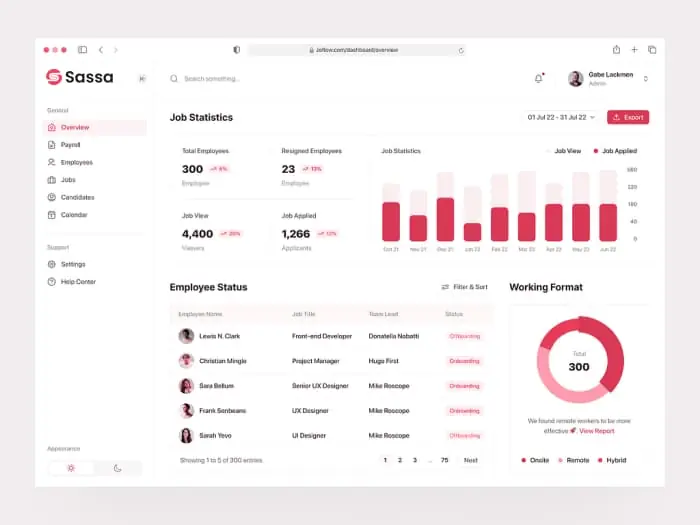
Your team, organised. IDup keeps employee data, contracts, roles, absences and permissions in one secure place — so managing your people is simple, compliant and no longer spread across four systems and a filing cabinet.

HR in a small or mid-sized company usually looks the same: contracts in a folder, addresses in a spreadsheet, holidays in a shared calendar, hours in a notebook, and salary data in whatever the payroll provider uses. Every one of those is a separate copy of the truth, and each one goes out of date on its own schedule. When someone moves house, changes their workload or leaves, the update happens in three places and is forgotten in the fourth.

IDup makes the employee record the single source. Personal data, contract, role, permissions, documents, working time, absences, projects and payroll all hang off the same profile, and everything that changes is recorded once. Your team can maintain their own details through self-service, sensitive data stays behind granular permissions, and onboarding or offboarding becomes a checklist rather than an archaeology project.

Core Features

Central employee data

Profiles, contracts, roles, qualifications and documents in one place — encrypted, searchable and always current. No parallel spreadsheet, no folder on a laptop, no version that only one person knows about.

Roles & permissions

Control precisely who sees and does what. Salary data stays with the people who need it, project managers see their own teams, and access is revoked in one click the day someone leaves.

Self-service portal

Employees update their own address, bank details and documents, request absences and download payslips themselves — which removes a surprising amount of administration from your week and keeps the data accurate.

Linked to payroll

One step from employee data to salary. Contracts, rates, absences and hours feed payroll directly, so nothing is retyped between HR and pay day and the numbers can’t drift apart.

Everyone in one place

Employee records, contracts, certificates and documents live together — secure, searchable and complete. When you need a signed contract, a qualification certificate or a copy of last year’s agreement, it takes seconds instead of an email to three people.

Onboarding becomes repeatable. A new hire gets a profile, a contract, the right permissions, the right equipment checklist and the right introduction tasks in a defined sequence, so the tenth new colleague has the same experience as the first — even when the person who normally handles it is on holiday.

Offboarding gets the same treatment, which is where most companies are genuinely exposed. Access removed, documents archived, final payroll prepared, equipment returned — recorded, not remembered.

The right access for everyone

Granular permissions keep sensitive data safe while your team gets what they need. Salary information, personal documents and performance notes are visible only to the roles you define, and every access is logged.

That is not just good practice, it is a legal obligation in most of Europe when you hold employee data. A shared drive with a folder called “HR” and an honour system does not meet it; per-role permissions with an audit trail does.

It also removes awkwardness. Nobody has to trust that a colleague simply won’t open a file they can technically reach, because they cannot reach it in the first place.

From HR to payroll

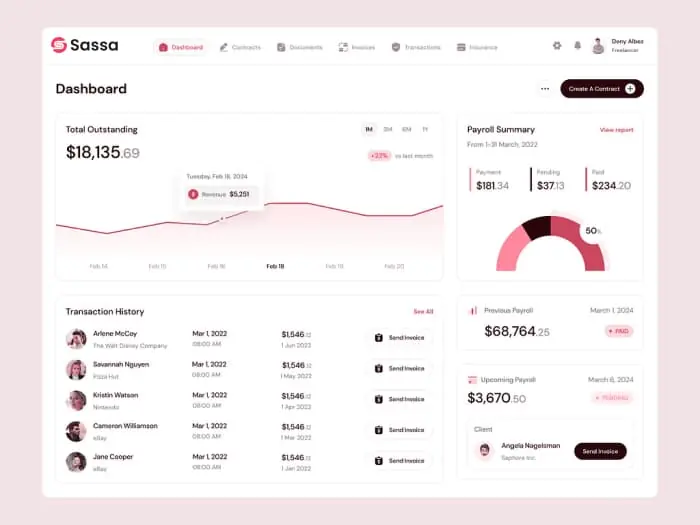
Employee data flows straight into payroll, projects and accounting — no re-entry, no export, no reconciliation between systems that were never meant to talk to each other.

A change of workload updates the contract, the payroll calculation and the capacity in project planning at the same time. Tracked hours land in both the project cost and the salary run. Absences reduce availability and are reflected in pay without anyone maintaining a second calendar.

The result is that personnel cost stops being a monthly surprise. You can see what your team costs, where that cost is deployed and what it is producing — live, per project and per department.

Onboarding and offboarding without gaps

The two riskiest days in any employment relationship are the first and the last. On day one, a new colleague needs a contract, a profile, access to the right systems, an introduction plan and equipment. On the last day, all of it has to be reversed cleanly — and that is the part companies routinely get wrong.

In IDup both are checklists that run themselves. Automated workflows create the tasks, assign the owners, grant exactly the permissions the role requires and record what was done and when. Nothing depends on the person who “normally handles it” being available.

When someone leaves, access is revoked in one action across the whole platform — accounting, CRM, documents, inbox, mobile app — and their records are archived rather than deleted, so obligations are met without leaving open doors behind.

Everything else is already included

Employee management is one part of IDup, not the whole product — and you don’t pay extra for the rest. The same login gives you accounting with AI receipt capture, invoicing and online payments, payroll, tax filing and annual statements, financial reports, a complete CRM with leads, estimates, contracts and projects, a helpdesk, a client portal, permissions and multi-tenant workspaces.

It also gives you the modern layer most HR tools simply don’t have: IDup AI as an assistant across the whole platform, an AI chatbot for your website, automated workflows that run onboarding and recurring tasks for you, a social media agent, marketing campaigns, and a shared inbox for WhatsApp, SMS, email and social conversations.

The practical effect is that people, work and money are finally in the same system. Hours become project costs and salary, contracts become obligations you can see in your cash view, and your team runs on one login — on desktop and in the mobile app, GDPR-compliant, on secure servers worldwide, in 27 languages.

#Customers Are Everything

Why People Put Trust In IDup

Sarah J.

Since implementing the AI Assistant, our support response time has dropped by over 70%. It handles thousands of customer queries daily without missing a beat.

Mark T.

We were struggling with after-hours customer inquiries. Now, the AI Assistant works round-the-clock, giving instant answers and even booking appointments for us.

Amina K.

The AI system adapted perfectly to our business needs. We appreciated how customizable it was—from branding to workflows.

Rajeev T.

We’ve been able to cut down payroll errors by almost 90% since switching to this system. The reports are detailed and help with our compliance and audits. Highly recommended.

#Questions & Answer

Frequently Asked Questions

What can I do with IDup?

IDup unifies accounting, invoicing and payments, AI receipt capture, tax filing, annual statements and financial reports with a full CRM — leads, estimates and contracts, projects, tickets, calendar and a client portal. On top of that sit IDup AI, an AI chatbot, automation and a social media agent, a shared inbox for WhatsApp, SMS, email and social, marketing campaigns, employee and payroll management, permissions, multi-tenant workspaces, a document vault, cloud access and a mobile app for iOS and Android.

All of it runs behind one login, on one database, for one price — so an employee, their contract, their hours, their payroll and the projects they work on are the same record instead of five disconnected systems.

What employee data can I manage?

Personal and contact details, contracts and amendments, roles and responsibilities, qualifications and certificates, working time models, absences and holidays, equipment, notes, documents and payroll-relevant data such as rates, allowances and bank details.

Everything is stored in one profile with a full change history, so you can see what a contract looked like before an amendment and when a change took effect — which is exactly what you need in a dispute or an audit.

Can employees maintain their own data?

Yes. The self-service portal lets your team update addresses, phone numbers, bank details and emergency contacts, upload documents, request absences and download their payslips without going through you.

Changes that matter can require approval, so self-service does not mean loss of control. In practice it removes a large share of routine HR requests and keeps the master data more accurate than any central process ever manages.

How are absences and working time handled?

Absence requests, approvals and balances are managed in the same place as the employee record and the calendar, so availability is always visible to whoever plans the work.

Tracked hours flow into projects and into payroll, which means one entry serves cost accounting, client billing and salary at the same time. There is no second timesheet system and no monthly transcription exercise.

Is employee data secure and GDPR-compliant?

Yes. IDup is GDPR-compliant, hosted on secure, GDPR-compliant servers worldwide, with encryption in transit and at rest. Employee data is protected by granular roles and permissions and every access is recorded in an audit trail.

Personal data can be exported or deleted on request, retention rules are respected, and sensitive documents stop circulating as email attachments — which is where employee data protection most often fails in practice.

Do I need any prior knowledge?

No. IDup is built so you can start right away — no HR software or IT background needed. Adding an employee takes a few minutes and the rest of the record builds up as contracts, hours and payroll runs happen.

The interface speaks plain language, and IDup AI can answer questions about your team in your own words — who is absent next week, whose contract renews soon, what a department costs.

Can I connect IDup to my existing tools?

Yes — through an open REST API, webhooks and ready-made integrations, so employee and time data can be exchanged with the systems you keep. Accountants and payroll offices can be given their own access instead of a monthly export.

Because payroll, accounting and project costing already sit in the same platform, most of the integrations companies normally need between HR systems simply become unnecessary.

How long does it take to get started?

Minutes, not months. Create your account, add your team and set permissions — there is nothing to install and no HR consultant required.

You can start with the basics — profiles, contracts, permissions — and add absences, time tracking and payroll when you are ready. Each step works on its own and gets better as the next one is switched on.

idup

All-in-One Accounting, Payroll & Digital Finance — Simplified

Copyright © 2025 - IDup. All rights Reserved.































